Internal accounts and balances
Manage accounts for employees, customers and beneficiaries. Organize their balances from a web console.


Stellar eWallet lets you manage internal accounts and balances for employees, customers and beneficiaries. Connect redemption with Stellar POS and lookup with your online store, under your organization’s rules.

A web console to manage organizations and users, load balances and connect their use with commercial operations.
Manage accounts for employees, customers and beneficiaries. Organize their balances from a web console.
Define categories such as General, Groceries or other concepts, with permitted uses for each program.
Load users and balances from the console or through structured TXT files.
Validate operations with a token sent by SMS or email, according to configuration.
Connect internal accounts with Stellar POS to use the balance at checkout, according to your business rules.
Add Stellar WALLET lookup to your WEBSTORE so account holders can check their accounts online.
Checkout is where the balance is applied to a purchase. The account, amount and validation are part of the redemption process.
Locate the account holder’s account and check the available redemption balance.
Confirm the amount and complete token verification according to the configured flow.
Use the balance for the purchase in Stellar POS, with the enabled categories and conditions.
Your organization defines which balances can be used, for which categories and under what conditions.
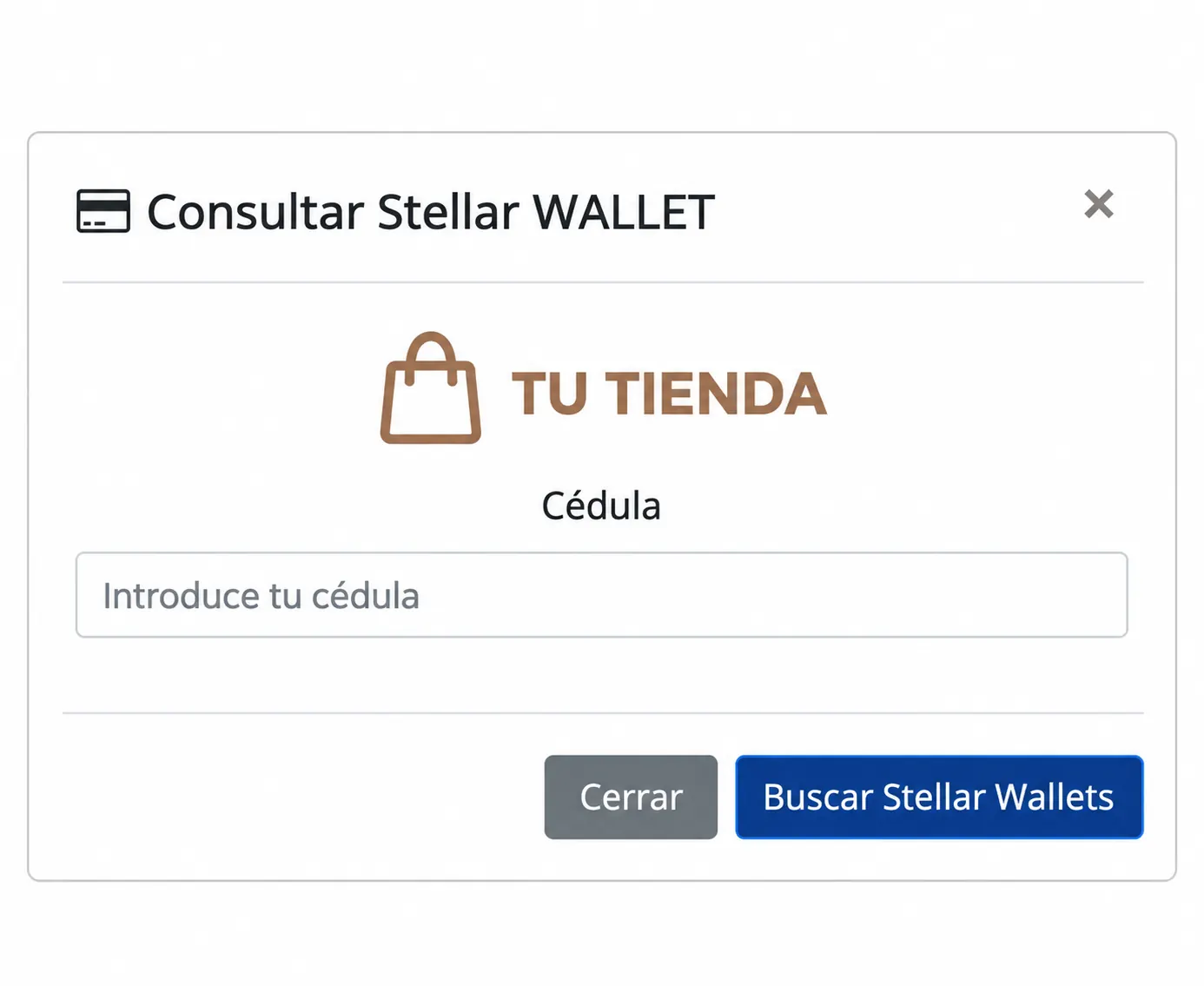
Account lookup can also be available in your online store. Account holders enter their identification to find their Stellar WALLET accounts.
Personalize the lookup with your store’s logo.
Explore Stellar WEBSTOREIntegrate eWallet with the products your business uses. Bigwise works with you to define the scope and configuration of each connection.
Configure employee benefits programs, personnel accounts or customer benefits. The console brings together management of your organizations and users.
Evaluate eWallet for my business
Download the platform’s features, use cases and specifications to share with your team.
Enter your full name, email, company and country.It is a SaaS technology platform for managing internal accounts and balances for employees, customers and beneficiaries. Your organization defines the rules and manages its accounts; Bigwise provides the technology infrastructure.
Yes. Integration with Stellar POS allows the account balance to be used at checkout. Permitted categories, validation and redemption conditions are configured for your operation.
Yes. Lookup can be added to Stellar WEBSTORE. Account holders can look up their Stellar WALLET accounts using their identification, according to the store’s configuration.
Yes. The platform supports individual and bulk loads, and importing users and balances through structured TXT files.
Through verification tokens sent by SMS or email, according to configuration. Users, channels and the validation flow are defined during implementation.
The organization operating the program manages accounts, balances and their rules. Bigwise provides the technology platform; it does not hold funds or act as a financial institution.
Stellar eWallet manages internal accounts and balances. Look up balances in WEBSTORE and redeem them at POS with token validation.